
GROMACS 从零运行一个水盒
从零运行一个水盒,包含终端操作、输入文件、实际数据和适用范围。
阅读本篇目录
本文以鸢算科技集群 GROMACS 2026.4 实际结果为例。下载输入、参考轨迹、分析与绘图资料包,资料包约 529 MB,包含参考轨迹。解压后进入 gromacs-examples。参考输出在 cases;新计算由 new-case.py 建立独立目录。
本篇任务与操作要点#
这个例子从安装包自带的水坐标开始,建立 3×3×3 nm³ 的 TIP3P 水盒。spc216.gro 在这里仅提供初始摆放坐标;真正决定相互作用的是拓扑中包含的 tip3p.itp,不能按坐标文件名认定水模型。
先建立坐标和拓扑,再最小化,接着 NVT 20 ps、NPT 50 ps,最后运行 100 ps 示例轨迹。grompp 把坐标、拓扑、MDP 合成二进制 TPR;mdrun 才执行计算。下一步必须使用上一步生成的结构,不能每一步都从最初水盒重新开始。
最小化采用柔性水和较小步长,动力学恢复刚性水。EM 的 PME 放在 CPU,动力学 PME 放在 GPU。示例用于学习流程;生产计算需独立判断平衡时间与统计误差。
1 准备与提交#
python new-case.py water-300
cd work/water-300
sbatch run.sh
run.sh 申请资源后执行 workflow.sh。不要在登录节点直接执行完整模拟。下列每个算例可单独新建副本并提交。
| 算例目录 | 本次内容 |
|---|---|
water-300 |
完整输入、前置文件与真实计算输出 |
2 实际终端命令#
以下是在对应算例目录中实际执行并生成结果的命令。分析命令在该算例的 analysis 子目录执行;交互回答已用 printf 写入,组名需随自己的体系核对。
water-300
gmx solvate -cs spc216.gro -box 3 3 3 -o solv.gro -p topol.top
gmx grompp -f em.mdp -c solv.gro -r solv.gro -p topol.top -o em.tpr -po em-processed.mdp
gmx mdrun -deffnm em -ntmpi 1 -ntomp 4 -nb gpu -pme cpu -update cpu
gmx grompp -f nvt.mdp -c em.gro -r em.gro -p topol.top -o nvt.tpr -po nvt-processed.mdp
gmx mdrun -deffnm nvt -ntmpi 1 -ntomp 4 -nb gpu -pme gpu -update cpu
gmx grompp -f npt.mdp -c nvt.gro -r nvt.gro -p topol.top -o npt.tpr -po npt-processed.mdp -t nvt.cpt
gmx mdrun -deffnm npt -ntmpi 1 -ntomp 4 -nb gpu -pme gpu -update cpu
gmx grompp -f md.mdp -c npt.gro -r npt.gro -p topol.top -o md.tpr -po md-processed.mdp -t npt.cpt
gmx mdrun -deffnm md -ntmpi 1 -ntomp 4 -nb gpu -pme gpu -update cpu
printf %s 'Potential
Temperature
Pressure
Density
0
' | gmx energy -f md.edr -o thermo.xvg
gmx check -f md.xtc
water-300/analysis
printf %s 'Potential
Temperature
Pressure
Density
0
' | gmx energy -f ../md.edr -o thermo.xvg
gmx check -f ../md.trr
3 输入文件与关键设置#
water-300/topol.top 完整输入(点击展开)
#include "amber99sb-ildn.ff/forcefield.itp"
#include "amber99sb-ildn.ff/tip3p.itp"
#include "amber99sb-ildn.ff/ions.itp"
[ system ]
TIP3P water
[ molecules ]
SOL               884
water-300/em.mdp 完整输入(点击展开)
cutoff-scheme = Verlet
nstlist = 20
coulombtype = PME
rcoulomb = 1.0
rvdw = 1.0
pbc = xyz
constraints = none
integrator = steep
nsteps = 10000
emtol = 500
emstep = 0.01
define = -DFLEXIBLE
water-300/nvt.mdp 完整输入(点击展开)
cutoff-scheme = Verlet
nstlist = 20
coulombtype = PME
rcoulomb = 1.0
rvdw = 1.0
pbc = xyz
constraints = h-bonds
integrator = md
dt = 0.002
nsteps = 10000
nstenergy = 50
nstcalcenergy = 50
nstlog = 1000
nstxout-compressed = 50
tcoupl = v-rescale
tc-grps = System
tau-t = 0.5
ref-t = 300
pcoupl = no
gen-vel = yes
gen-temp = 300
gen-seed = 76262
water-300/npt.mdp 完整输入(点击展开)
cutoff-scheme = Verlet
nstlist = 20
coulombtype = PME
rcoulomb = 1.0
rvdw = 1.0
pbc = xyz
constraints = h-bonds
integrator = md
dt = 0.002
nsteps = 25000
nstenergy = 50
nstcalcenergy = 50
nstlog = 1000
nstxout-compressed = 50
tcoupl = v-rescale
tc-grps = System
tau-t = 0.5
ref-t = 300
pcoupl = C-rescale
gen-vel = no
gen-temp = 300
gen-seed = 76262
continuation = yes
pcoupltype = isotropic
tau-p = 5
ref-p = 1
compressibility = 4.5e-05
water-300/md.mdp 完整输入(点击展开)
cutoff-scheme = Verlet
nstlist = 20
coulombtype = PME
rcoulomb = 1.0
rvdw = 1.0
pbc = xyz
constraints = h-bonds
integrator = md
dt = 0.002
nsteps = 50000
nstenergy = 50
nstcalcenergy = 50
nstlog = 1000
nstxout-compressed = 50
tcoupl = v-rescale
tc-grps = System
tau-t = 0.5
ref-t = 300
pcoupl = C-rescale
gen-vel = no
gen-temp = 300
gen-seed = 76262
continuation = yes
pcoupltype = isotropic
tau-p = 5
ref-p = 1
compressibility = 4.5e-05
nstxout = 500
nstvout = 500
nstfout = 0
4 实际结果与画图#
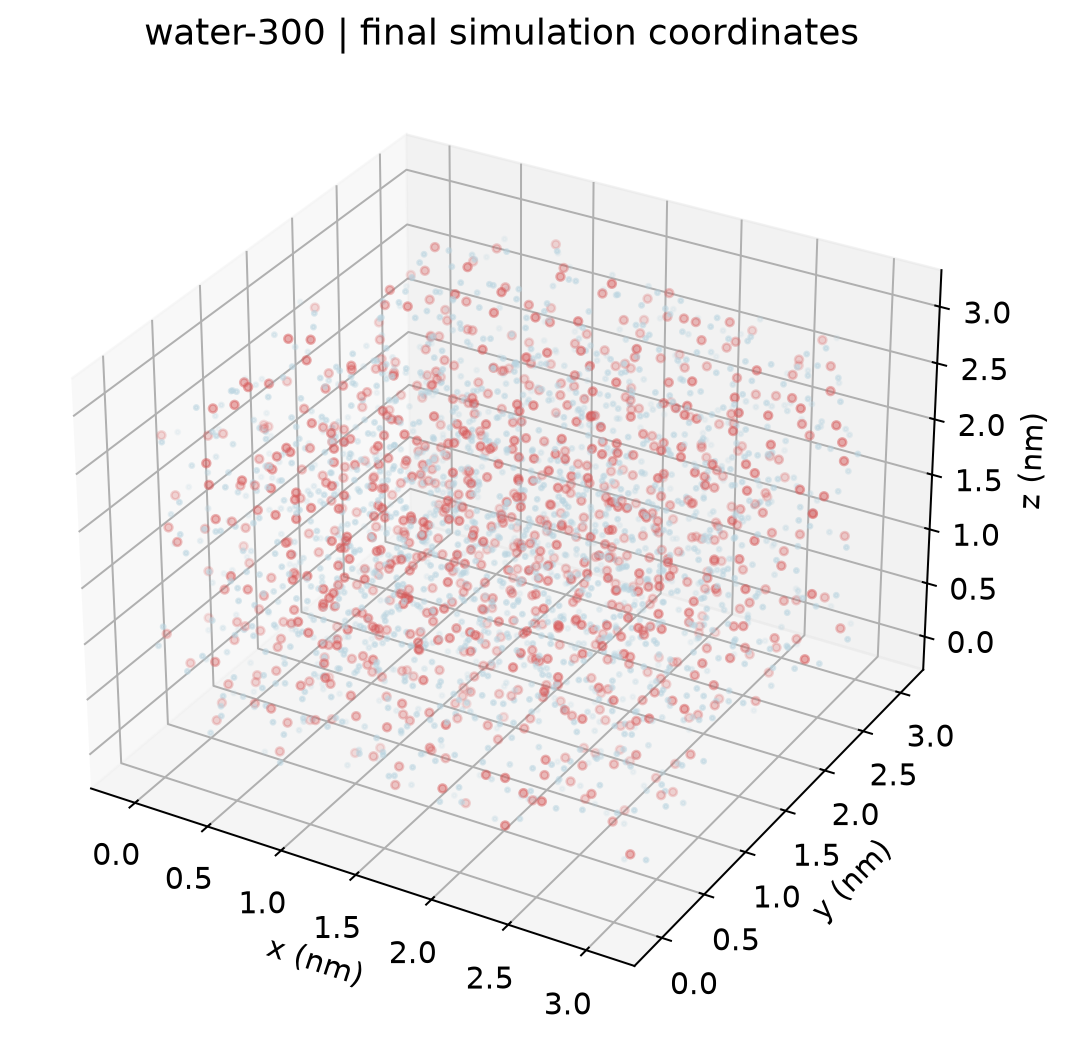
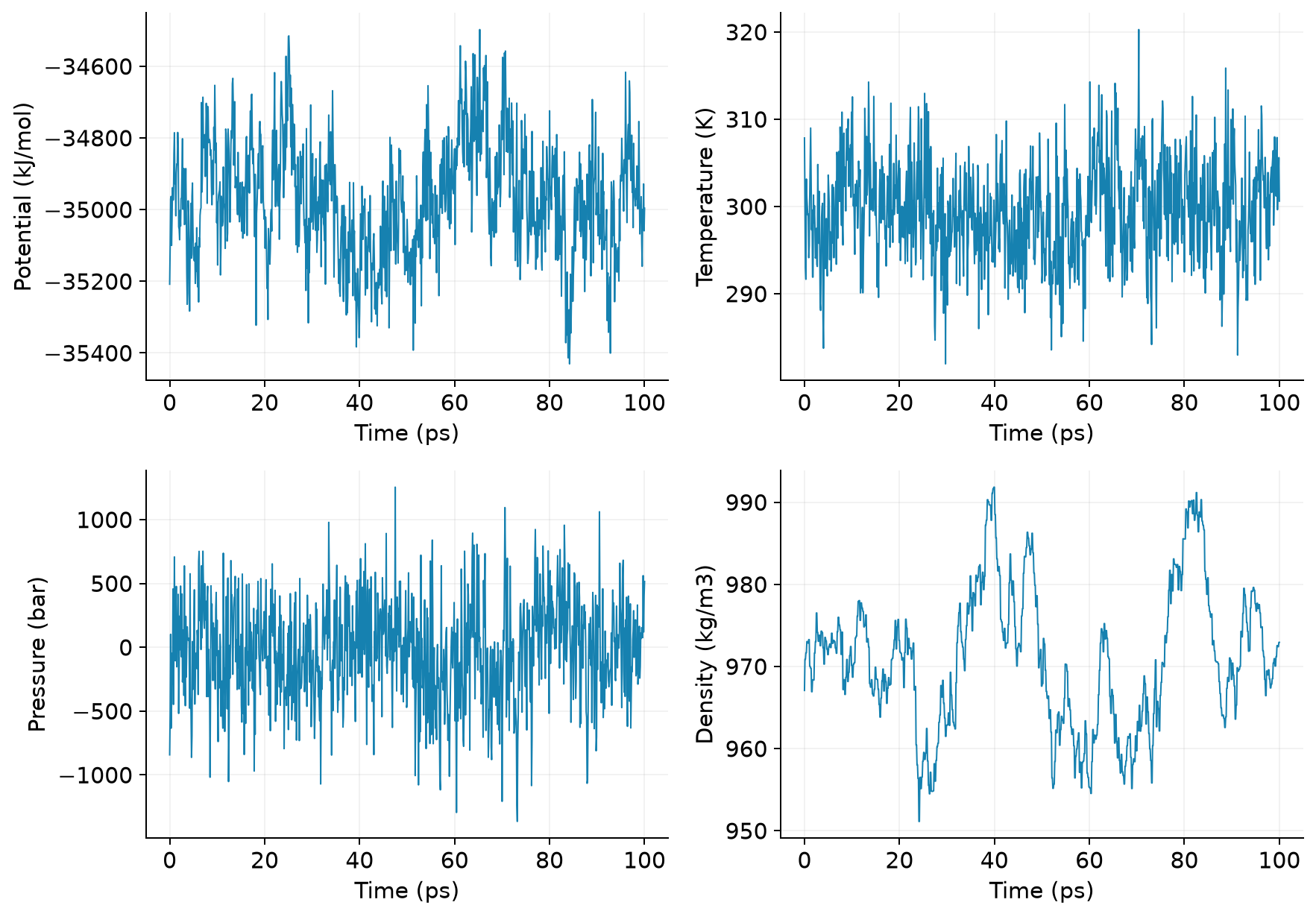
下表为本次 100 ps 生产轨迹后半段的简单均值,不是收敛物性或误差分析。
| 实例 | 原子数 | 温度 K | 密度 kg/m³ |
|---|---|---|---|
| water-300 | 2652 | 299.83 | 969.57 |
用附件中的 Python 脚本重画所有参考图:
# 回到 gromacs-examples 根目录
module load ase/3.29.0
python plot.py --root .
plot.py 使用 NumPy 和 Matplotlib,直接读取 XVG/COLVAR/坐标数值,图片保存在 figures。对单项新结果,可照着脚本对应段替换文件路径;不要把不同模型或单位的数据直接拼在一起。
参数查阅#
以本集群 gmx 命令名 -h 为准;GROMACS 2026.4 命令手册和MDP 参数手册可查完整选项。